It's easier to compare variants when you can quickly match each name to its line. SKU Comparison now lets you focus on one variant while keeping the other price histories visible for reference.
Hover over a variant's name in the list above the chart. Its name and line are highlighted while the other lines fade, making the selected price history easier to follow.
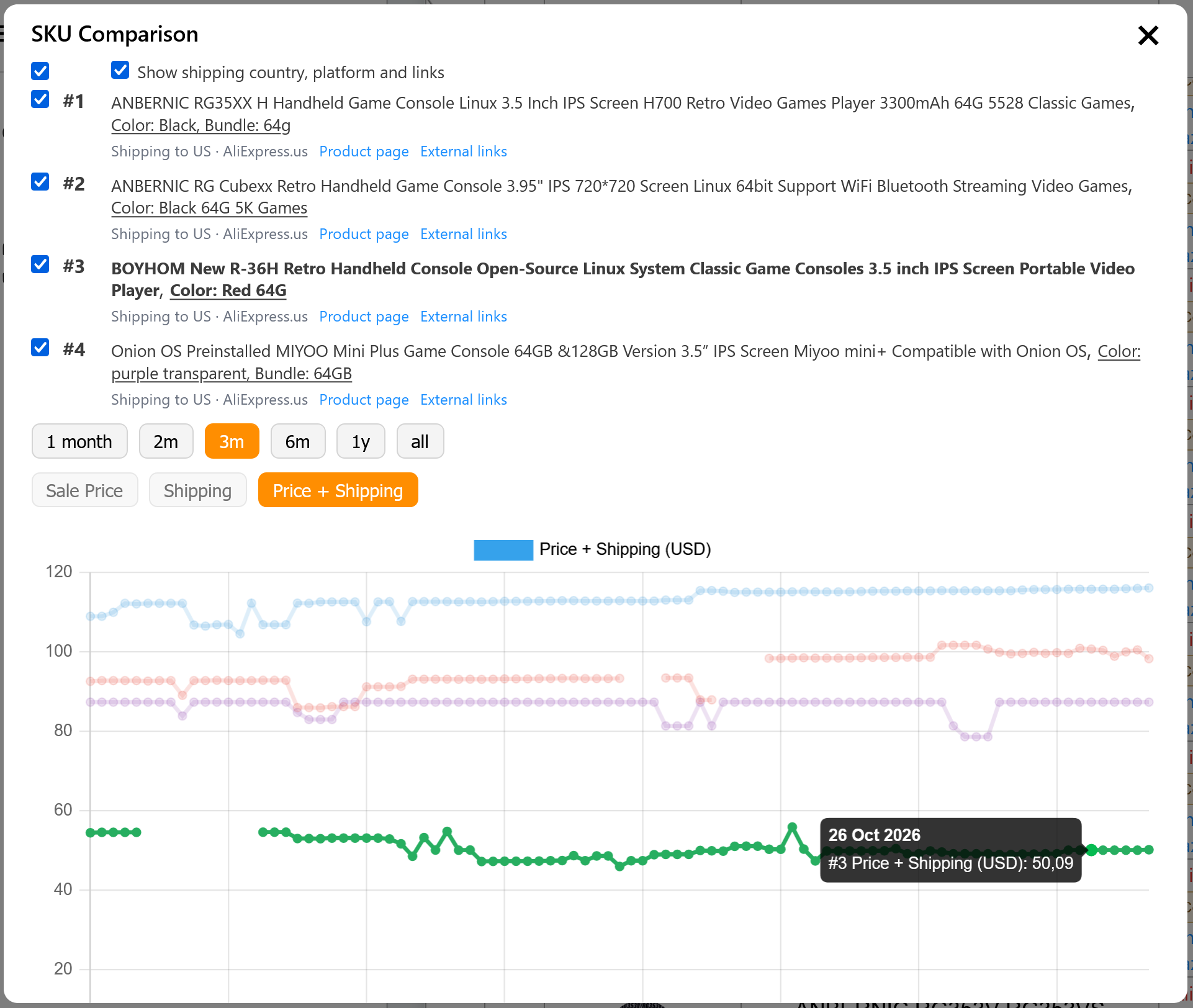
You can also hover directly over a line, including the segments between data points. The corresponding variant name is highlighted above the chart. If several lines overlap where you're pointing, all of their names are highlighted, so you can see which variants share the same value there.
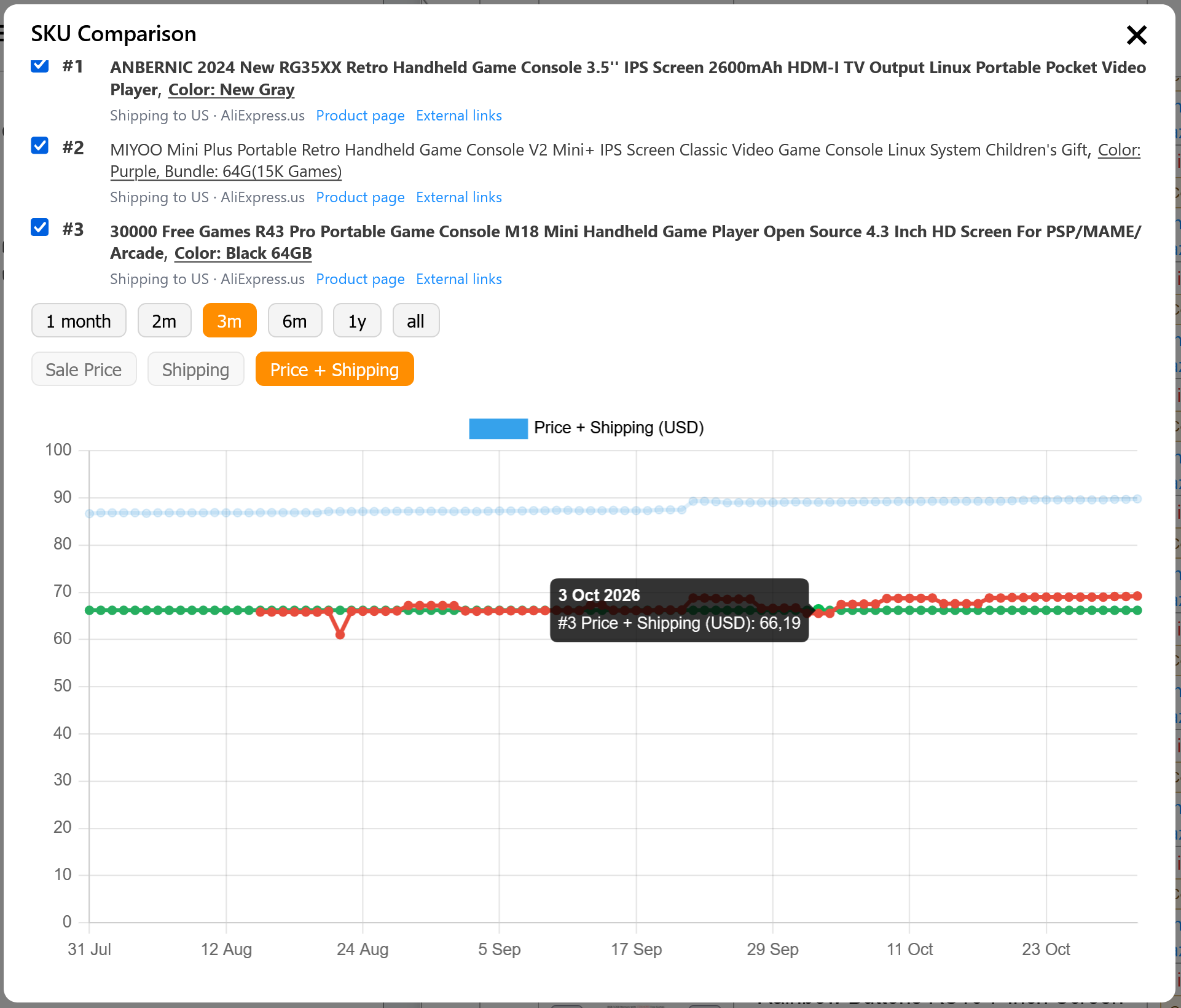
Tap or click a variant's name to keep it highlighted. Tap or click it again to clear the highlight. Use the checkbox to show or hide its line.
Highlighting works with Sale Price, Shipping, and Price + Shipping, so you can follow the same variant as you compare different costs.
© 2026 HandheldGameConsole.com. All rights reserved. Sharing the content of this website for informational or personal use is permitted. However, reproducing, redistributing, or utilizing any part of the website's code, design, data, or data structure to create or assist in creating similar websites or services is strictly prohibited.

