SKU Comparison can include variants from different products, shipping destinations, and platforms. The list now shows those details alongside each variant, with links to its product page, shopping sites, and available coupons.
Each entry shows the shipping destination and platform below the product and variant name. All prices use the currency selected for the comparison, making it easier to compare offers for different destinations.
Use the checkbox above the list to show or hide the country, platform, and links. Keep the details visible while reviewing offers, or hide them for a more compact view above the chart.
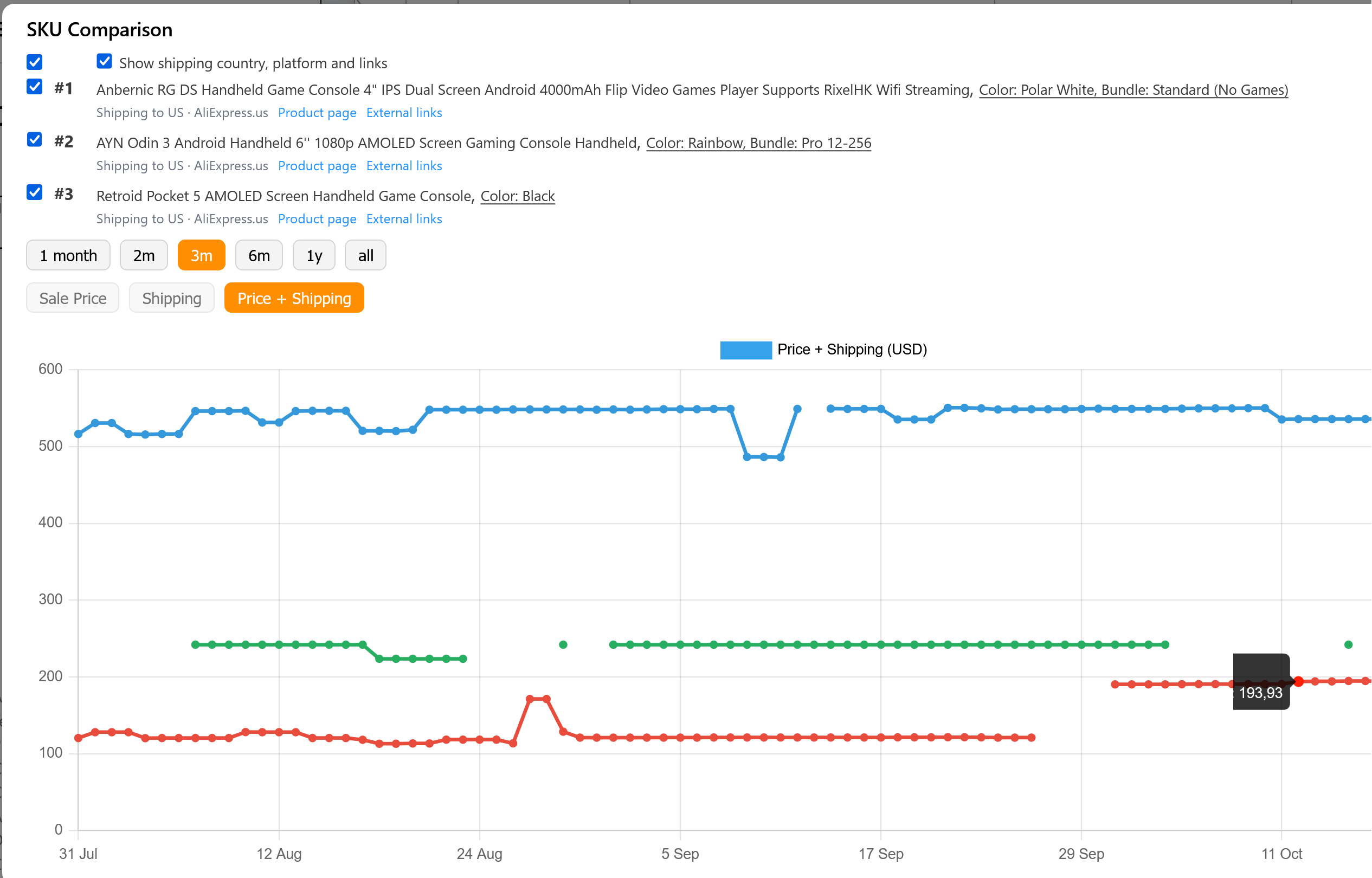
Select Product page to open the product's page in a new tab with the same shipping destination, platform, and currency. You can explore the listing and its other variants while keeping the comparison open.
Select External links to open the familiar menu of nine shopping links. Use the AliExpress link to open the selected variant, or select Coupons to view offers for its shipping destination when available.
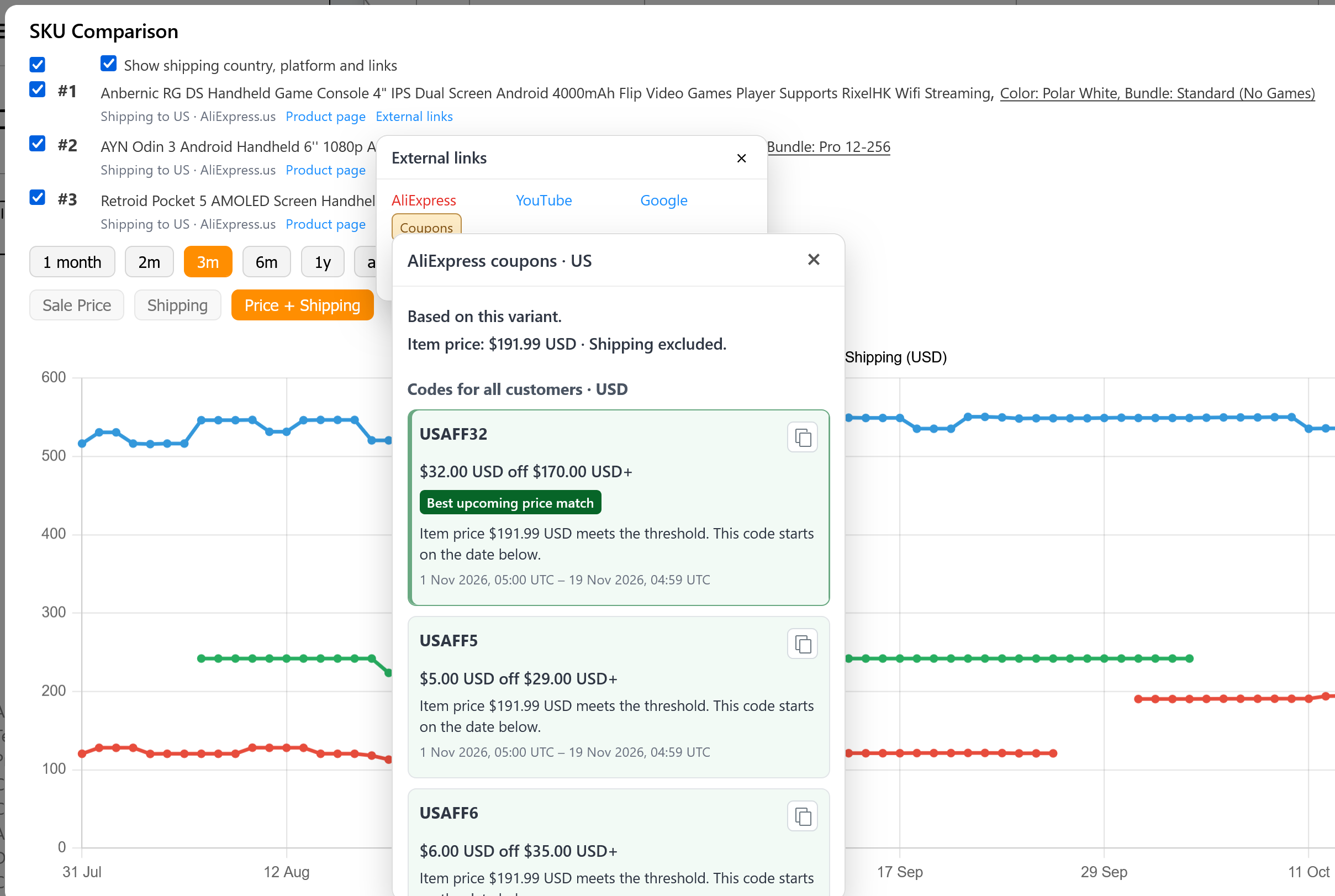
Opening details or following a link won't hide a chart line. Use its checkbox to show or hide it, and click or tap the variant's name to keep it highlighted. These controls work with the line-highlighting tools to make comparisons easier to use on computers and phones.
© 2026 HandheldGameConsole.com. All rights reserved. Sharing the content of this website for informational or personal use is permitted. However, reproducing, redistributing, or utilizing any part of the website's code, design, data, or data structure to create or assist in creating similar websites or services is strictly prohibited.

